
136 lines
3.7 KiB
Markdown
Executable file
136 lines
3.7 KiB
Markdown
Executable file
## Vytal
|
|
|
|
<a href="https://chrome.google.com/webstore/detail/vytal/ncbknoohfjmcfneopnfkapmkblaenokb"><img src="https://raw.githubusercontent.com/z0ccc/Upvote-Anywhere/master/promo/chrome.png" alt="Get Vytal for Chromium"></a>
|
|
|
|
Protect your privacy by mocking your personal data.
|
|
|
|
## About
|
|
|
|
Vytal can mock your timezone, locale, geolocation and user agent. This data can be used to track you online or reveal your location.
|
|
|
|
Vytal is utilizes the chrome.debugger API to mock this data. This allows the data to be changed in frames, web workers and during the initial loading of a website. It also makes the spoofing completely undetectable.
|
|
|
|
You can test and compare Vytal and other extensions on https://vytal.io
|
|
|
|
Vytal contains no ads and signup is not required.
|
|
|
|
## Limitations
|
|
|
|
### Tab initialization
|
|
|
|
There is a slight delay between when a new tab is opened and the debugger starts mocking the data. This allows for websites to get the original value of the data before it is changed. After the initial loading of a tab, this will no longer be an issue.
|
|
|
|
### Locale override does not mock language data
|
|
|
|
Unlike the Chrome devtools location sensor, overriding the locale does not change language data (such as navigator.language or navigator.languages). There is an open ticket about this here: https://bugs.chromium.org/p/chromium/issues/detail?id=1320419
|
|
|
|
## Data Tampering
|
|
|
|
Data spoofed with Vytal can not be detected. Although other extensions which spoof data can be detected. https://vytal.io allows you to compare and test these various tools. A red x signifies that the scanner has detected tampered data. A green check means that no tampering has
|
|
been detected. Clicking on the table row of the tampered data will bring up a modal box showing the type of detected tampering.
|
|
|
|
## Types of Tampering
|
|
|
|
### Failed Date.prototype.setDate.toString()
|
|
|
|
```
|
|
if (!Date.prototype.setDate.toString().includes('[native code]')) {
|
|
return true;
|
|
}
|
|
return false;
|
|
```
|
|
|
|
### Failed Object.getPrototypeOf(Intl.DateTimeFormat.prototype).constructor.toString()
|
|
|
|
```
|
|
if (
|
|
!Object.getPrototypeOf(Intl.DateTimeFormat.prototype)
|
|
.constructor.toString()
|
|
.includes('Object')
|
|
) {
|
|
return true;
|
|
}
|
|
return false;
|
|
```
|
|
|
|
### Failed Intl.DateTimeFormat.prototype.resolvedOptions.toString()
|
|
|
|
```
|
|
if (
|
|
!Intl.DateTimeFormat.prototype.resolvedOptions
|
|
.toString()
|
|
.includes('[native code]')
|
|
) {
|
|
return true;
|
|
}
|
|
return false;
|
|
```
|
|
|
|
### Failed Object.getOwnPropertyDescriptor(navigator, key)
|
|
|
|
```
|
|
if (Object.getOwnPropertyDescriptor(navigator, key) !== undefined) {
|
|
return true;
|
|
}
|
|
return false;
|
|
```
|
|
|
|
### Failed object.getOwnPropertyDescriptor(Navigator.prototype, key).value
|
|
|
|
```
|
|
if (
|
|
Object.getOwnPropertyDescriptor(Navigator.prototype, key).value !==
|
|
undefined
|
|
) {
|
|
return true;
|
|
}
|
|
return false;
|
|
```
|
|
|
|
### Failed Failed Navigator.prototype[key]
|
|
|
|
```
|
|
try {
|
|
const check = Navigator.prototype[key];
|
|
return true;
|
|
} catch (err) {
|
|
return false;
|
|
}
|
|
```
|
|
|
|
### Failed navigator.geolocation.getCurrentPosition.toString().includes('[native code]')
|
|
|
|
```
|
|
if (
|
|
!navigator.geolocation.getCurrentPosition
|
|
.toString()
|
|
.includes('[native code]')
|
|
) {
|
|
return true;
|
|
}
|
|
return false;
|
|
```
|
|
|
|
## Screenshots
|
|
|
|
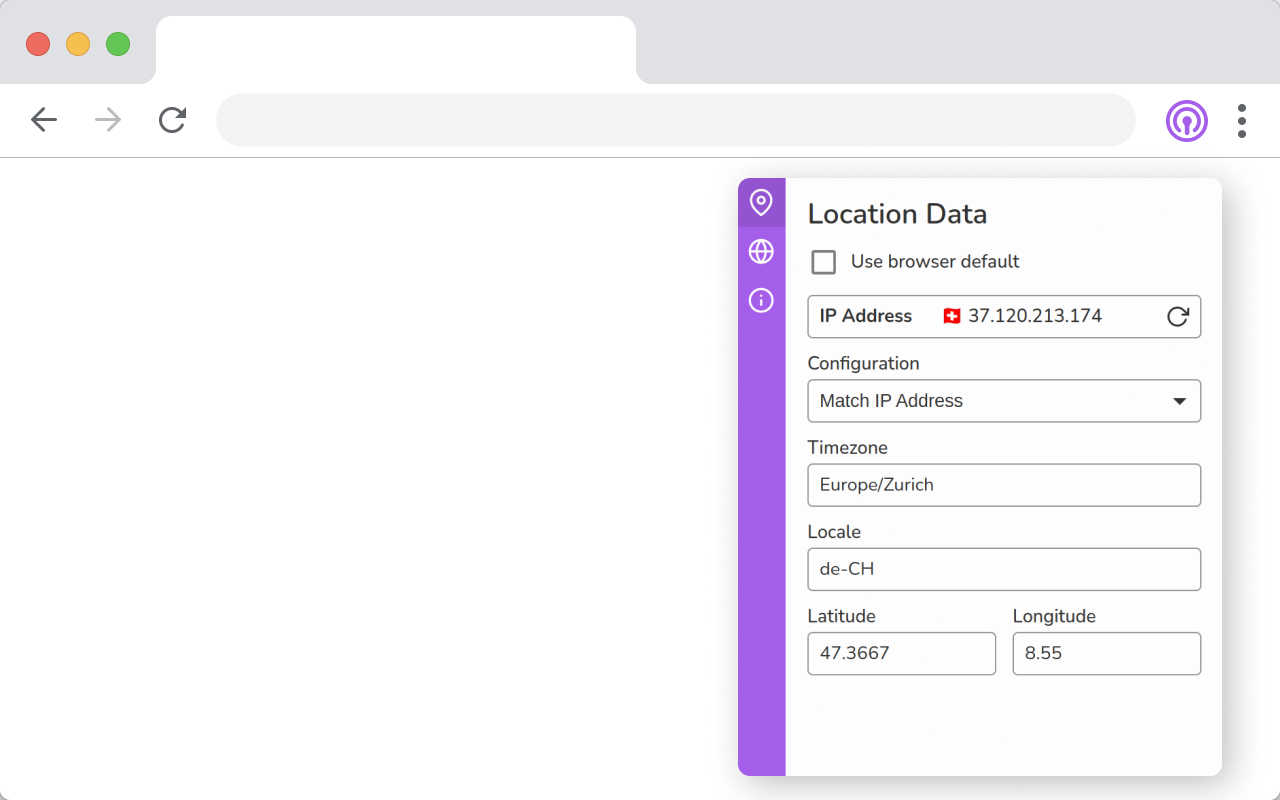
|
|
|
|

|
|
|
|
## Dev
|
|
|
|
This application is built with Javascript and React.
|
|
|
|
Clone this repo and run these commands to start the development server.
|
|
|
|
```
|
|
yarn
|
|
yarn start
|
|
```
|
|
|
|
Load the extension on Chrome:
|
|
|
|
- Access chrome://extensions/
|
|
- Check Developer mode
|
|
- Click on Load unpacked extension
|
|
- Select the build folder.
|