
69 lines
3.6 KiB
Markdown
Executable file
69 lines
3.6 KiB
Markdown
Executable file
# Vytal
|
|
|
|
<p>
|
|
<a href="https://chrome.google.com/webstore/detail/vytal-spoof-timezone-loca/ncbknoohfjmcfneopnfkapmkblaenokb?utm_source=github"><img src="https://raw.githubusercontent.com/vytal-io/vytal-extension/master/promo/chrome.png" alt="Get Vytal for Chrome"></a>
|
|
<a href="https://microsoftedge.microsoft.com/addons/detail/vytal-spoof-timezone-l/nkaemodamjfefjgbefolnpnlccpdfpap"><img src="https://raw.githubusercontent.com/vytal-io/vytal-extension/master/promo/edge.png" alt="Get Vytal for Microsoft Edge"></a>
|
|
<a href="https://addons.opera.com/en/extensions/details/vytal-spoof-timezone-location-user-agent/"><img src="https://raw.githubusercontent.com/vytal-io/vytal-extension/master/promo/opera.png" alt="Get Vytal for Opera"></a>
|
|
</p>
|
|
|
|
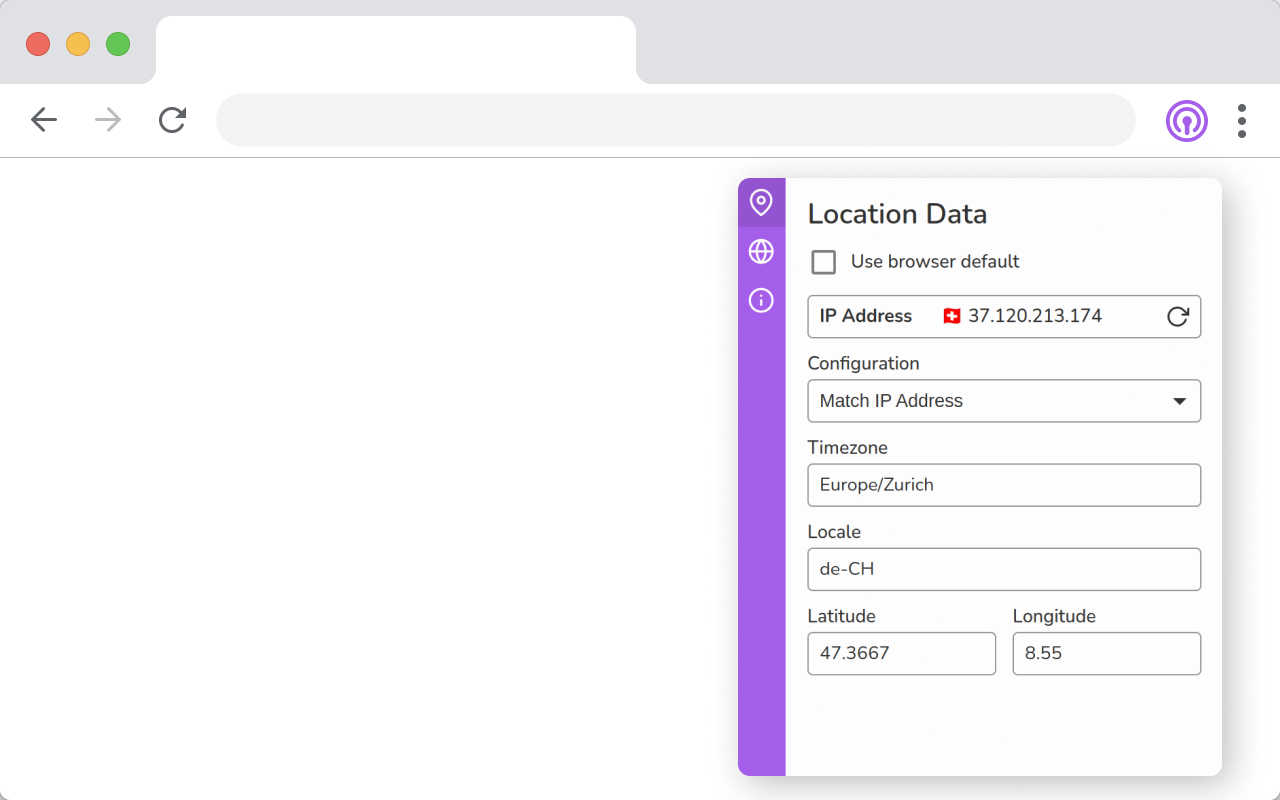
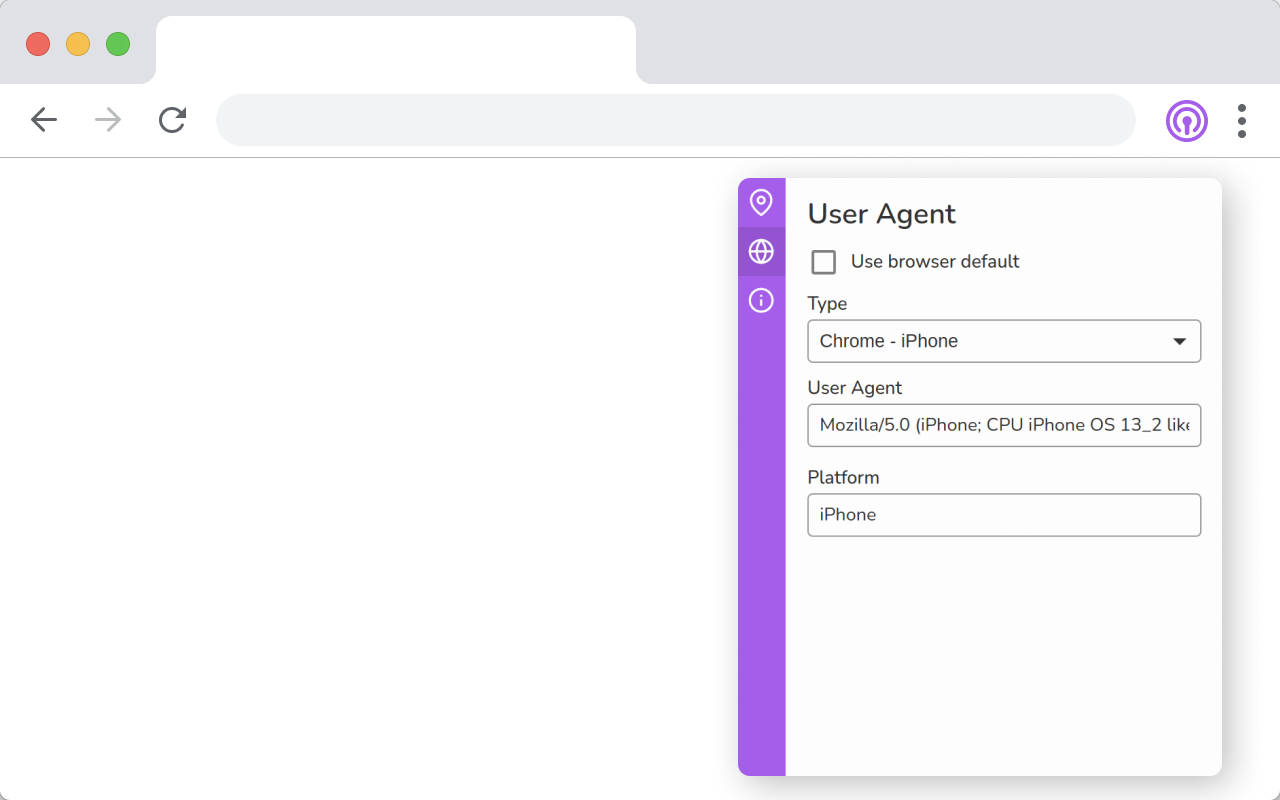
Browser extension to spoof your timezone, geolocation, locale and user agent.
|
|
|
|
## About
|
|
|
|
This extension allows you to customize your browser's settings to appear as if you are accessing the internet from a different location, locale, or device. This can be useful for testing websites, bypassing regional restrictions, or protecting your privacy online. With just a few clicks, you can change your time zone, locale, geolocation, and user agent to match your desired settings.
|
|
|
|
Most extensions that provide anti-fingerprinting features rely on content scripts to inject script tags into webpages. There are many limitations to script tag injections which you can read about here: https://palant.info/2020/12/10/how-anti-fingerprinting-extensions-tend-to-make-fingerprinting-easier
|
|
|
|
Vytal utilizes the chrome.debugger API to spoof this data. This allows the data to be spoofed in frames, web workers and during the initial loading of a website. It also makes the spoofing completely undetectable.
|
|
|
|
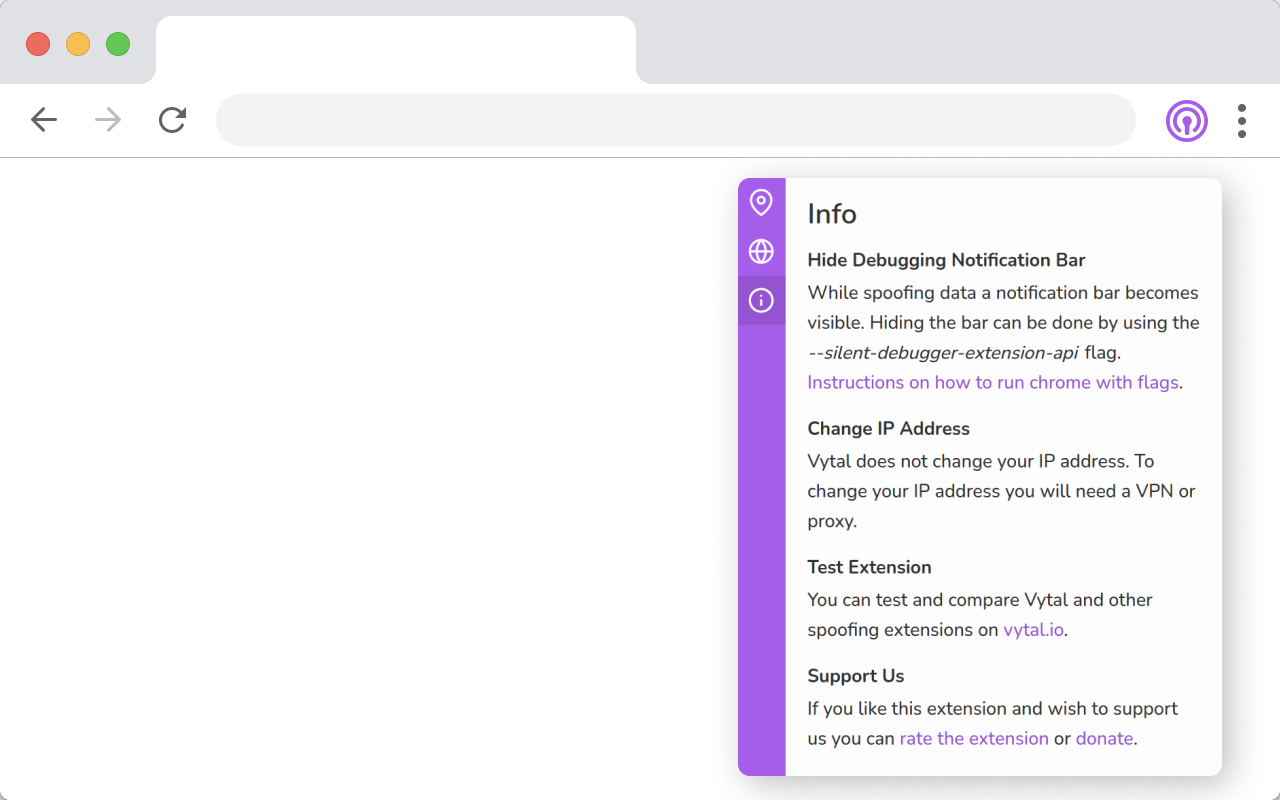
Vytal is not a VPN or proxy and will not change your IP. Although it can be used in combination with a VPN to obscure your true location.
|
|
|
|
You can test and compare Vytal and other extensions on https://vytal.io
|
|
|
|
Vytal contains collects no data and signup is not required.
|
|
|
|
## Limitations
|
|
|
|
### Debugging bar
|
|
|
|
While the chrome.debugger API is active, a bar under the address bar is displayed. Hiding the bar is only possible when the --silent-debugger-extension-api command-line switch is used.
|
|
|
|
Instructions on how to run chromium with flags: https://www.chromium.org/developers/how-tos/run-chromium-with-flags
|
|
|
|
### FireFox
|
|
|
|
Unfortunately Vytal doesn't work on Firefox since Firefox doesn't support the debugger API for extensions. https://developer.mozilla.org/en-US/docs/Mozilla/Add-ons/WebExtensions/manifest.json/permissions#browser_compatibility
|
|
|
|
### New tab
|
|
|
|
The chrome debugger cannot attach itself to chrome://newtab. This can result in data leakage to the first non chrome:// page you navigate to.
|
|
|
|
### Locale override does not mock language data
|
|
|
|
Unlike the Chrome devtools location sensor, overriding the locale does not change language data (such as navigator.language or navigator.languages). There is an open ticket about this here: https://bugs.chromium.org/p/chromium/issues/detail?id=1306254
|
|
|
|
## Screenshots
|
|
|
|
|
|
|
|
|
|
|
|
|
|
|
|
## Dev
|
|
|
|
This application is built with Javascript and React.
|
|
|
|
Clone this repo and run these commands to start the development server.
|
|
|
|
```
|
|
yarn
|
|
yarn start
|
|
```
|
|
|
|
Load the extension on Chrome:
|
|
|
|
- Access chrome://extensions/
|
|
- Check Developer mode
|
|
- Click on Load unpacked extension
|
|
- Select the build folder.
|